Sunday, January 9, 2011

Getting a PCB Made

I was recently asked where I get my PCBs made and realized that many people do not know of the great online PCB services which are available to hobbyists.

A few months ago I needed to get a PCB made for the first time in years and started the search for cheap places to get my board manufactured quickly with reasonable tolerances. I needed small quantities of a duel layer, surface mount, board with solder-mask and silkscreen on both sides. This usually adds more money to a PCB order than I was willing to spend on my small quick prototype board.

I found three services which met my cost requirements and did not have an unreasonable lead time. Here are my thoughts and a review on the PCB service I used.

MakePCB.com

http://makepcb.com/

This was the first board house I found which has reasonable pricing and a simple online quote system that you do not need to sign up for. I hate those websites where you have to give your personal information in order to receive a quote. This option seemed to be the best for me while I was living abroad since shipping to Europe was the same as the US. I ended up not using this service because there was no information on the website about how long it takes get your board. The major benefit to using this service is that if you want medium sized quantities the pricing scales very well. Check out their online quote calculator.

If anyone has used this service, send me a note or comment here. I'm very interested to see if anyone has had a good experience with this board house.

BatchPCB

http://batchpcb.com

This is a service run by SparkFun electronics and seems to be a great option when you do not need a board quickly. As with MakePCB, I ended up not using this service. On their FAQ page they say that it takes anywhere from 3 weeks to 4 weeks to receive your board. For the price this is very reasonable - considering most hobby projects are usually not time critical. One great feature of this website is that they save your board design and you can get new boards made at less cost;  you can even sell your designs!

The pricing is "$10 setup fee (shown as a handling charge) - $2.50 per square inch for 2 layer designs". This makes the pricing better for larger boards than the last service I mention here.

This site has great reviews from a multitude of people. Check out this forum for more reviews and information on the service.

Dorkbot PCB Group Order

http://dorkbotpdx.org/wiki/pcb_order


This service works in a similar way as BatchPCB does. The person who runs the website fills up a large panel with multiple orders from hobbyists in order to keep costs very low. They are very helpful and answered all the questions I had; they also check to make sure your design is saved in the right format for their process and the boards are spaced properly. They send the boards out as soon as a panel fills up or a certain date has passed. Recently the boards have been filling up quickly and there has been more than one order per month.


This service is great for very small sized boards, which is a major reason I used this site for my boards. My board size was slightly more than 4 square inches and my design was ready a few days before the panel was due to go out. The overall lead time once the panel is sent out, is about 2 weeks. This works great if you can plan to have your board ready a few days before the panel goes out.


I received three copies of my board which can be seen in the previous two pictures. The solder-mask was purple (which looks awesome by the way), the silkscreen is clear and readable, and the boards work perfectly! The build quality was spectacular and I am very impressed. I HIGHLY recommend this service to anyone who wants a PCB made. Like BatchPCB they also have a 4-layer service. International shipping is also very reasonable.

I also wanted to thank Doc for telling me about this service. As you can see by his blog post, it is very important to double and triple check a design before it is sent off to the board house. :-)

Final Thoughts

On a side note, my larger board (which can be seen in the pictures above) does have an MSP430 on it. The design uses a MSP430F2013 with the GND, RST, and TEST pins brought out through headers for programming.

I hope some of you find this information useful and possibly end up turning one of your small projects into a real permanent "product". It's very rewarding to see one of your designs working on a PCB. If you have used any other great cheap services, comment away.

Thursday, December 23, 2010

NJC's LaunchScope (A LaunchPad Oscilloscope)

After getting caught up on 43oh.com I am ready to get back to work! For all of you who have been patiently waiting for the final post in the oscilloscope project, it is here. I introduce to you, the LaunchScope. In this post I will present the code for implementing an oscilloscope (a slow oscilloscope) using only the LaunchPad and the MSP430G2231 that comes with it, in addition to providing the source code for the computer application I wrote to go along with the hardware.

Background

I originally built this project a few months ago for the MSP430F5528 for testing my own project which involved data acquisition of biomedical related signals. The 5528 has a built in USB and as such I could use a reasonably high sample rate; when using the LaunchPad though, one is seriously limited by the speeds at which you can transmit data out. As I've mentioned in one of my other posts, it's possible to use the SPI as a quasi-hardware UART for high speed transmission; this would allow you to use a much higher sample rate.

There is very little code on the microcomputer that needs to be added from the last post, all that is missing is the code for continuous reading of the analog channel. In addition to the functions needed for starting and stopping the ADC, the start and stop codes sent to the chip need to be handled.

The last post implemented a speed test which shows you how fast your setup is capable of transmitting data; this value will be used to determine the sample rate of the microcomputer. It is important to not sample at a rate higher than you can process the data because in addition to timing troubles you will end up missing and dropping samples, which could be detrimental depending on the application. Additionally, the code presented in last post can measure a single channel’s voltage using the MSP430F2231; the channels measured were one external channel (A3), the internal temperature sensor, and the internal VCC measure.

I was asked a question in a comment on my previous post, where the analog pin A3 is and I would like to explain that a little bit here before we get started. Almost every pin on all of the MSP430s have multiple functions, these functions can be found in the chips datasheet (not the family guide). For the MSP430F2231 which is the chip used with this series of posts, this can be found on page 6 in the datasheet. Here we can see that in the 14 pin version of the chip pin 5 is not only P1.3, but also ADC10CLK, A3, VREF--, and VEREF. The explanations of each purpose is also included in this table. The datasheet is one of the most useful resources you will have; everyone should have the datasheet and family guide easily accessible during development.

The Computer Application

Find the .zip file of my project here.

Find just the install for the application here. (Note: No promises that this will work for you)

I have decided to post the source code for my computer application since I know how useful it might be to many of you. The reason I was hesitant to post the code is because I do not document and comment my C# code as well as I do my MSP430 code. For anyone who downloads and uses my C# application, please do not expect well documented and commented code, though I will do my best to answer your questions on the 43oh.com/forum. Also, as with all of my code I ask anyone who uses it to mention in the code and anywhere it may be published or posted to site my blog and give me credit for whatever I have written. This includes the software UART and any other functions which I have specifically written.

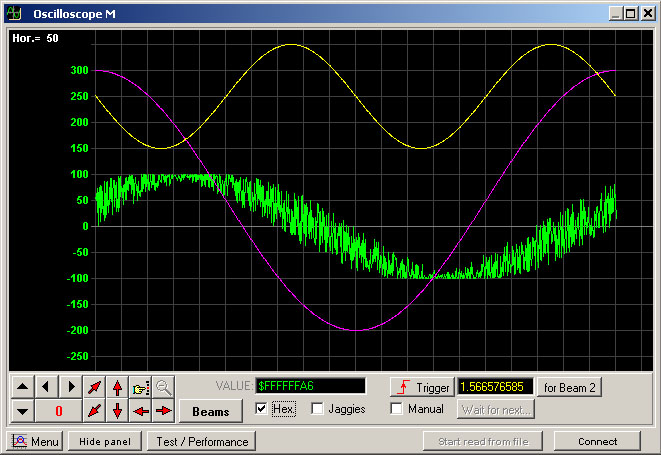
The computer application looks the same as the one I posted previously, except now the streaming buttons are not greyed out. The main difference is the oscilloscope code which will display a waveform in real time on the screen quite beautifully. Back when I needed this code for my own project I was writing my own library for displaying the waveform but was never happy with the results. I found this DAQ32datalogger project online which utilized Berstein's library for real time waveform displays. The first link was for a research project  testing the use of multiple accelerometers for replacing gyroscopes in real world applications. I was very impressed with his code and really recommend that you all take a look at his YouTube video which he links to on his site. The project utilized 32 accelerometer channels and displays all of them in real time on his PC. I emailed the author a few months ago and he is happy that his code is being utilized by others. If you use this code, PLEASE give credit where credit is due, his and Berstein's code is amazingly useful and helpful.

It is important to note that this library has much more potential and can do so much more than I use it for here. Eventually I plan on using this code for monitoring multiple bio-potential signals in real time. The image below is taken from Berstein’s website.


Note: I will not be discussing how this code works because this is a LaunchPad blog and not a C# blog. I am posting this code for those who already know C# or would like to change bits of the source code for their own projects. Keep in mind, this software is far from a polished program, I am using this for my own personal projects and wanted to share it with all of you. 

The Code

Also posted here on github.


Setting up the ADC and the Sample Rate

What will look the most unfamiliar to someone who has followed my blog up till this point is the streaming ADC function Start_Stream(unsigned int chan), here I set all the necessary values for the ADC stream. There should be only two lines which are unfamiliar to you which I used in this function.

ADC10CTL0 = ADC10ON + ADC10SHT_3 + MSC+ ADC10IE;
ADC10CTL1 = ADC10SSEL_3 + chan + ADC10DIV_7 + CONSEQ_2;

The first line will, turn on the ADC, set the sample and hold time to 64 clock cycles (which can be thought of as yet another divider for the ADC sample rate), sets the device to do multiple samples and conversions, and finally enables the interrupt. The second line selects which clock to use (the SMCLK), sets the channel to use (which is the ‘chan’ input from the function), sets the clock divider to SMCLK/8, and finally tells the ADC to sample a single channel consecutively.

As I already mentioned, it is important to make sure the sampling rate is low enough for the application UART to send every sample to the PC. Using my code the speed test on my application showed 6.21 kbps. Due to the fact that we are using an ADC that has a 10 bit vertical resolutions, we will need to send every sample as two bytes thus sending 16 bits of data per sample. So to calculate our max sample rate (which we should be a bit under just in case), we divide our data rate by our bits needing to be sent per sample, 6.21kbps / 16 bits = 397.44 Hz.

EDIT (01-26-2012): I would like to correct a mistake that was found in the following paragraph by one of my readers. The  problem is with the calculated sample rate. Instead of the equation being SMCLK/8/64/13, it should be SMCLK/8/(64+13). This is because the sample and hold time and the conversion time add together, determining the number of clock samples needed per conversion. This gives us a sample rate of approximately 1.6kHz, a value significantly greater than it should be. That being said, the code will still function, the reasons behind this is a bit complicated and won't be discussed here. Just know that some samples are being dropped and the actual transmission rate is closer to ~450 samples per second. Expect to see a new post in the future with updated code. Sorry for the error!

Our sample rate as set it in the Start_Stream() function is SMCLK/8/64/13. The 8 comes from the clock divider, the 64 comes from the sample and hold time, and the 13 comes from the number of clock cycles it takes to do an actual conversion. This value can be found in the datasheet on page 32 under “10-bit ADC, timing parameters -- MSP430G2x31 only”. SMCLK = 1000kHz (1MHz), so our sample rate is 1000/8/64/13 = 0.150kHz or 150Hz. This is much less than half of our maximum, so we are well within the limit of safety.

ADC10CTL0 &= ~ENC;
ADC10CTL0 &= ~ADC10SC;
ADC10CTL0 &= ~ADC10ON;

These three lines of code are what make up the Stop_Stream() function. It is important to note that ENC needs to be cleared first before any of the other values in ADC10CTL0 can be written. Once that is cleared, the conversion is stopped and the ADC is turned off to save power.

Why Have Commands?

Why not just make the chip constantly send out the data stream of the analog channel conversion results? All we want is an oscilloscope, so why need all of these weird command things? First, if you wanted to do that you would not use an MSP430 but rather you would use a nice and cheap ADC that has a UART out. We also have a built in temperature sensor, and internal VCC measurements which allow us to know almost exactly what voltage is being read by the ADC. Second, it is much easier to interface with a computer application when the program has control over the data flow. Without these commands the application would have a hard time making sure all the data is being received correctly and would not be able to read any of these other nice values the MSP430 can provide.

Improving the Design 

The biggest improvement which I’m sure everyone would like to see is an increase in sampling speed. I will not be doing a post on a faster scope design because it should be very easy to scale this code to faster speeds. If you decide to use an FTDI chip instead of the application UART you can recalculate the maximum speed the software UART can transmit at, then reconfigure the ADC to sample at a certain speed using the method I used in this post. If you would like to use an MSP430F5528 to increase speed, send me an email and I can send you the original source code this project was build from.

Final Thoughts

I hope you all enjoyed this series and find the LaunchScope useful. I have been and will be very busy in the upcoming months since I am leading a “Senior Design” project for my university. The project does utilize multiple MSP430s and I will be doing my best to post more guides on topics which come up during the course of my work.

Before I finish I have an unrelated question for any of my readers which might have experience with Actel FPGAs. I am thinking of using an Actel FPGA for a project and was wondering if anyone has had any experience with Actel FPGAs. I have only used Xilinx and Altera but saw that Actel has very cheap and low powered FPGAs. Any opinion on Actel chips would be greatly appreciated. Email me, webmaster@msp430launchpad.com.

Again, sorry for the delay, but I hope the wait was worth it. When I get around to it, the next post will discuss communication between two (maybe three) LaunchPads using I2C. If you have any simple questions about the post feel free to comment and I will do my best to answer any questions. If you have a complex question or would like some help with your code check out 43oh.com/forum, they have a great forum which I check when I can.

As always, comment away! Let me know what you think of the project. If you used the LaunchScope or the code from this series for anything cool, post a comment about it. Stay tuned, I will be writing more posts.

Tuesday, September 14, 2010

A Simple ADC Example on the LaunchPad

I finally have had the time to write up this post. Hopefully in a few more weeks I will have more time and can keep up a steady stream of posts like I was doing before.

As promised in the last post, this post will discuss the basics of the ADC10 peripheral in the G2231 which comes with the LaunchPad. The code will allow the microcomputer to accept simple ASCII commands sent over the LaunchPad's UART from a computer, and act on those commands. Four commands are implemented for this post; there will be two more in the next post which will add streaming functionality to the code.

The Functionality

The first command tests the overall data throughput we can achieve with the microcomputer. I think this is very important since it allows us to see how well our device is performing, and allows us to determine how fast the ADC should sample in real time. The second command uses a built in voltage divider to measure VCC in relation to an internal reference. The third command measures the internal temperature sensor in relation to a different internal reference. The final command measures the voltage on an external pin, in this case A3 in relation to VCC. Note that this code does not continually sample the ADC channels but will only sample once per command. The next post will discuss continuous sampling of a single channel, which will allow us to build a simple (slow) oscilloscope using only the LaunchPad.

Computer Application

To accompany the code on the MSP430 I have written a simple
computer application using C# which will allow us to easily interface with the device so we do not have to play around with terminal programs. If any of your projects require a computer interface I highly recommend writing a custom application, I really hate fiddling around with terminal programs.

Note: It seems that there are some problems with the installer. I have not figured out what causes the application to work on some computers and not on others. Hopefully it is just my laptop that is having trouble. I recommend having the .NET 4.0 framework installed, even though I wrote the program for 3.5.

The software allows you to connect to any COM port at any baud rate. The baud rate for this post will be 9600, considering that is the maximum of the LaunchPad, but can be changed if you want to use something like an FTDI chip. Make sure that your LaunchPad is plugged in and the VCP is ready before you run the software, the program does not constantly check which ports are available.

The GUI is pretty self explanatory; if you have any questions, bug reports, or suggestions feel free to post. There is also some additional functionality built into the program which is currently disabled; I will provide a second version of the code for the next post when we start streaming data.

The Code

As always the code is available as a gist at http://gist.github.com/593606. If anyone knows how to force the embedded code to show a vertical scroll bar please let me know.


Going Through the Code

Most of this code builds off of previous posts so I will not be going over it in great detail. To read more about the UART please see the previous post. The code is broken down into multiple functions to increase readability. Receive(); is called when the main loop receives a new value from the software UART. This is not necessary, and might actually reduce the efficiency slightly since every function call requires an extra few assembly commands, but in my opinion it’s worth it since the code is more readable and much easier to modify.

After initializing all the registers the device goes into its main loop. So far the ADC is not initialized, only the software UART is set up. The main loop will determine which command was sent and then calls the necessary functions; the loop will also send any converted ADC values out using the software UART. As is true with most of the code I post, the chip goes into LPM0 when there is nothing to do. Before the CPU goes into low power mode it makes sure there are no flags waiting; this keeps the CPU from missing any events. If this was not done it is possible that a second event would be missed, since the CPU was enabled while it was currently in a loop.

The Receive() function will initiate different tasks depending on which command was sent to the computer. The first command which is handled is used to test the speed at which the UART can send data. It will send 256 values, from 0x0000 to 0x00FF, as fast as it can; this data will be received by the computer application and is tested for errors; if there are no errors the speed of the transmission is displayed. It is important to note that 512 bytes are sent total because each value is a 16 bit word. This was chosen for two reasons. First, the MSP430 is a 16 bit processor; second the ADC measurement can not fit in one byte. The next three commands measure an external analog channel (A3), the temperature, and VCC.

About the ADC

I will not be going into how ADCs work, but I will provide some basic theory pertaining to the one in the G2231. The G2231 has a 10 bit ADC and a multitude of channels available to be measured. A few of these channels are internal. They provide access to an integrated temperature sensor, a zero level calibration channel, and a VCC measurement channel.

First things first, the ADC is not some magical device that instantly determines the amplitude of a signal, the ADC conversion takes a certain number of clock cycles and has a limited sample rate determined by this number. Since we are using the LaunchPad's UART for this project, we are limited by the speed at which we can send the values to the computer and not the maximum sample rate. This post will not deal with consecutive measurements from the ADC, so speed is not a problem yet.

The last important theoretical topic I think is important to understand when using an ADC, is the reference voltage. In the ADC world, reference voltages are done differently for different types of converters. For example, what I am about to say does not pertain to the SD16 is the ADC in the F2013. I will probably make a future post about the SD16.

All ADCs need to have a voltage reference which the input voltage can be compared to. There not only is an upper voltage level which the signal is reference to, but also lower level voltage. For the ADC10, you can use the following as references.

  • VCC (upper)
  • VSS (lower)
  • VEREF- (lower)
  • VEREF+ (upper)
  • VREF- (lower)
  • VREF+ (upper)

There are two voltages which can be generated in the G2231, the 1.5V and the 2.5V reference. For this example we will use both the 1.5V and the 2.5V references, in addition to VCC, for all cases VSS will be used as the lower voltage reference.

The Two ADC Functions

The most basic of the ADC measurement functions, is the Single_Measure(chan) function. This does not use any internal references and will measure the channel 'chan' only once.

ADC10CTL0 &= ~ENC; // Disable ADC
ADC10CTL0 = ADC10SHT_3 + ADC10ON + ADC10IE; // 16 clock ticks, ADC On, enable ADC interrupt
ADC10CTL1 = ADC10SSEL_3 + chan; // Set 'chan', SMCLK
ADC10CTL0 |= ENC + ADC10SC; // Enable and start conversion

The first line is important since this might not be the first time the ADC is setup. Most values in CTL0 cannot be changed until the ENC bit is cleared; this is done to prevent unintentional parameter changes. Since this starts a single conversion we do not need to worry about setting up the timing correctly; I did not want to go into too much detail about this until the next post.

The next line determines how many clock cycles there are per conversion, turns on the ADC, and enables the ADC interrupt. Turning on and off the ADC10 is very important since the ADC will draw power as long as it is turned on. It is good programming practice to turn the device off when you are not using it.

The last two lines set the clock source, the ADC channel, and then start the ADC. This example uses the SMCLK and sets the channel to what was defined by ‘chan’. In order for the ADC to be started both the ENC and ADC10SC bits need to be set. See the Receive() function for how to call this ADC function.

Single_Measure_REF(chan, ref) is the second ADC function in this code. Like the first function this will only read one ADC value; the difference is that this function allows us to use one of the two internal references. See the Receive() function for how this function is used.
Other than the delay, there is only one different line between the first and the second ADC functions. TI recommends using a small delay after turning on an internal voltage reference to allow time for the voltage to settle; thus the small delay. Note: This only needs to be done when the reference is turned on.

ADC10CTL0 = SREF_1 + ADC10SHT_3 + REFON + ADC10ON + ref + ADC10IE;

This line of code does 3 things which the last function did not do. In addition to enabling the internal reference and setting whether the 2.5V or 1.5V reference is used, it specifies how the ADC uses these references. This line of code sets the ADC to use SREF_1, which uses VREF+ and VSS for upper and lower references respectively.

The Rest of the Code

The only other part of the code which you might not recognize is the ADC interrupt function. This function will let the main loop know that an ADC value is ready to be transmitted. The transmission is not done directly in the interrupt because one should minimize the amount of code which is present in interrupt routines. This is important since problems can arise when a new interrupt is thrown and the last interrupt has not finished executing yet.

Conclusion

I have decided to not include the source code for the application in this post, but I will be providing it for the next. For now the application is available as an installer only. See the readme provided with the application for a bit more information on how to use it and uninstall the program. If anyone knows how to release a truly standalone .exe using Visual Studio 2010, please let me know since I don’t like installers.

I hope that you find this code useful and are not too disappointed that I have not provided the code for continuous measurement just yet. The code is done, and I just need to test a few more things and write up the next post.

So if you have any questions, or feedback, please comment away. I feel as if this post is not as nicely written as my others, so if there is anything that is not clear please let me know.

Hope you enjoy the code and mini application!

Tuesday, August 17, 2010

Half Duplex Software UART on the LaunchPad

Before I get into this post, I want to let you all know that the very basic oscilloscope project is coming; this post is the first in a series which will lead up to the final project. Before you all get too excited though, the scope will be very limited because of the low sample rate we must have. Be prepared to see some cool mini-projects as we work toward our main goal. This blog and the ones which follow, mirror what I have done with the F5528 for my own personal project.

This post is fairly short; this is due to the fact that I will break down the larger project into smaller posts to keep things bite sized and allow you to follow my design process. I think it is very important to learn how to develop in steps when working with a complex design; there are many benefits to doing things this way.

A Part of the Big Picture

Making a software UART which can receive was a clear first step in making sure we can get an ADC to work. In order to see what we are getting with the ADC we need a computer interface, and in order to control the LaunchPad we needed to be able to receive data. In addition to using this in our oscilloscope project, there has been a lot of interest in the community for a software UART which can receive.

Before we go onto looking at the code, I want to discuss the limitations of this specific software UART. I have not tested the overall throughput to see how fast it can go, as such, there will be a lower limit on the bit times regardless of clock speed. Clock speed can be used though to make the whole system run faster. Before we finish the scope project we will be running at 8 or 16 MHz, and sending data over an FTDI chip much faster than the LaunchPads debugging UART allows. For now though I want to keep the baby steps to something everyone can do (with or without the FTDI chip).

Another major limitation of this code is that it can not receiving while sending, and it can not send while receiving. It IS possible to write a software UART which is full duplex, though I will not be designing one; at least for the foreseeable future.

The Code

The code is posted on github at http://gist.github.com/532047 for those of you who have trouble seeing the embedded code here. I just love github, I do not know what I would do without it.


A Quick Explanation of the Code

The code is decently documented, and you all should be familiar with the transmit part of the code; if you aren't, please see this past post where I go over the transmit functionality. I will not really go into detail on all the specific lines of code but I will discuss how the receive code works.

For every byte that is sent over UART there is a start bit which always moves the signal from high to low. Our code recognizes this by throwing an interrupt on the RXD pin when a signal goes from high to low. It is important to disable this once the receive sequence is started, and it is also just as important to re-enable the interrupt once we are done receiving a byte. Once the interrupt is thrown, the timer and other values are initialized.

Next, the timer interrupt cycles through each bit in a very similar way the transmit function does. The major difference between the two is that instead of shifting the bits out, it reads the RXD pin and sets a bit in the RXByte. This is a bit hard to understand if you have not seen this method being used before. The current bit being read will set or leave cleared the 13th bit in RXByte; the entire byte is then immediately shifted once in order to slowly move the bits into the correct location. After an entire sequence is done all the bits will end up in the correct location.

Finally the stop bit is read, and the timer finishes up. It not only stops the timer and re-enable the interrupt on the RXD pin so we can receive another byte, but it also makes sure the start and stop bits are correct values. If an incorrect value has been received for these bits, the received value is ignored.

The final tricky part of this code, is understanding how the main loop knows a value has been received and how the low power modes work. It wouldn't be an MSP430 project if there wasn't some form of power saving going on :-P.

The main loop will go to sleep every iteration unless there is a value which has just been received, in which case the loop will run again. In the timer code, if the received byte is validated and shown to have no errors, it not only sets the hasReceived flag but also forces the CPU to leave the low power mode, which lets the main loop run and react to the received value.

Conclusions

As always, I hope that this code is something that helps with your projects and is peaks your interest in what is to come.

On a separate note, I am very happy to see the community growing. I have had an increase in viewers and I see more activity on the 43oh forums. I check these forums every few days and do my best to answer any questions, so if you have not joined yet I highly recommend doing so. I also plan on taking a more in depth look at the LaunchPad wiki Learning Community that a TI employee started up a bit ago. There seems to be a good amount of information already present on the site, and there also seems to be a huge potential for growth. I really am grateful to TI for providing us all with support and a large number of resources to get the community going.

So, comment away. Your comments are the fuel which my creative juices run on :-P

IMPORTANT EDIT: There is a small error in the code I presented above. The transmit function is problematic because if you send two bytes in a row the TXByte value would be changed before it is done being transmitted. For now I will write in a quick fix, in the next post I will provide a slightly more efficient solution. The code is updated above.

Thursday, August 12, 2010

Yet Another Update Post

Before I continue with any fun code examples and projects I want to say my thoughts pertaining to my last post, about the shield standard. I also want to outline where I see the next few posts going and hopefully get some feedback from you guys.

The New Domain

I'm sure some of you noticed the new domain name! We are now officially www.MSP430LaunchPad.com! I hope this can help with the growth of the community and the blog, I also hope this will give me more flexibility in uploading non-blog pages and maybe even hosting some simple projects. This is why I put up advertisements a bit ago; initially I wanted my blog free of them, but I realized with ads after enough time goes by I can use the money to do some cool things. If there is enough revenue from them, I will use the money to fund contests or events, where LaunchPads or shields I design are given away.

The Shield Standard

To be blunt, I am not too proud of my last post. I would need to put in more time than I am willing to put in to write up a really good standard. The last post was more to get my idea's out there, such as the idea of a BaseBoard and LaunchStack. One thing I want to be sure of is that there is a way to use the more powerful processors with the LaunchPad and with whatever shields may be sold. This in itself would help bring about the success of the LaunchPad. That being said, I hope that I didn't disappoint you all too much with such a lacking proposal; if anyone wants to take up where I left off go for it. I will support any idea as long as I can be convinced it is viable and useful.

Upcoming Posts

The next few posts will cumulate in an oscilloscope built using the LaunchPad. There are a few problems with this, first being the 9600 baud rate supported by the LaunchPad will allow only 480sps. This means the final result will use an FTDI chip to communicate over USB. I still haven't decided how I want to do this, and in which order. I think the first test code will send an ADC reading when a button is pressed. The second will use a full duplex software UART to interface will a program I will write, which will replace the push button. I might even sample at a higher rate for a predetermined period of time (set by the program) in order to register full waveforms. We shall see. I would like to create a fully functional (slow ~ 100ksps) oscilloscope with some custom software to interface with it, but a few problems remain to be solved. I would eventually want to build a LaunchPad oscilloscope kit which I would sell.

LaunchPad Board Store

I think that there is enough of a market to start selling development boards. There are a few logistical problems with this though. The first is that I would require people to pre-order boards, and after a certain amount of time goes by or the minimum number of orders are made, I would get the boards manufactured the get them shipped out with all the components one would need. At first I would have 2 or 3 different types of boards. Any profit I would make would be put back into the store in order to provide more boards or to eliminate the need for pre-ordering boards. Prices could even go down if there is enough interest, the more boards being sold the cheaper they would be for me to get manufactured. If I can end up setting this up, you can expect another much more detailed post about it.

Keep in mind, we are now MSP430LaunchPad.com

:-)

Keep the comments flowing.

Tuesday, August 10, 2010

A Shield Standard Proposal

In this post I will propose what I would like to see go into a shield standard. The last few days I have been stuck with the 5xx and am still having trouble with it so this is as far as I can go with the standard proposal. I also am getting frustrated since it will take an unbelievable amount of time make the standard complete and comprehensive. I will outline the ideas I have here and hopefully it will be enough to get people started in the right direction. I just ask if you use the ideas I put forth here, please give me some recognition. A footnote with a link here would be enough. I will try to compile any comments and modifications into a more formal document and post it here and on the Learning Community wiki TI has done a great job of starting. BTW: check out that wiki link, there is a multitude of great information on it.

Note: This post is VERY long, but that is because it is almost impossible to condense everything into a small post. If you are not interested in reading about a standard for shields, I recommend not spending your time going through this post.

The Basics

First we will discuss some terminology. A "LaunchStack" consists of multiple shields (expansion boards) stacked upon a "BaseBoard". The Target side of the LaunchPad is the standard BaseBoard, but other BaseBoards can be used in order to separate a project from the LaunchPad or to use chips that will not fit in the LaunchPad's socket. The shields will connect to a BaseBoard through no more and no less than the two outer headers. This is to reduce the minimum part count, and to ensure that boards can be stacked in any order; preference shall not be given to any expansion board (shield) as far as physical structure goes.

The different connections between different types of boards are what characterize this standard, and which the principles behind it are founded upon. The connections will be discussed first, then the separate boards will be described with examples given.

The communication method between shields and the BaseBoard should be either I2C or SPI, which should allow for simple addressing, simple stacking of devices, and simple (relatively speaking) implementation in software. The location of the I2C and SPI pins are specified and can not be changed. More on this topic further below.

The Connections

There are four connections which go into a complete LaunchStack.

1. VCC Row - This is J1 on the LaunchPad, and is present on all shields and BaseBoards.
2. GND Row - This is J2 on the LaunchPad, and is present on all shields and BaseBoards.
3. Programming Header - This is J3 on the LaunchPad, there is an emulator row, and a target row, and is required for all BaseBoards.
4. Power Connector - This is J6 on the LaunchPad and is required for all BaseBoards, and is general forbidden on shields.

The VCC Row and the GND Row are the only connections which shields are required to have, this is how shields receive their power and interface with the BaseBoard.

A BaseBoard must have all of these connectors, except the emulator side of the Programming Header. This allows all BaseBoards to have all the functionality of the LaunchPad's target side; this will allow an entire LaunchStack to be built up any BaseBoard. The Programming header on BaseBoards will be connected to the emulation side of the LaunchPad for programming and emulation.

The Power Connector must not be present on any shield unless there is a specific need for a separate power supply, such as for an analog supply. This will take the guess work out of the users hands and make it so power conflicts will not arise in normal situations. An entire LaunchStack will be powered from the Power Connector on the BaseBoard.

All BaseBoard connector spacing must exactly match the spacing on the LaunchPad Target section. This spacing is the backbone for the LaunchStack. Shield spacing will be discussed below.

Connections Between Shields and the BaseBoard

The VCC and GND Row's (the shield connector pair) will provide the backbone for the LaunchStack, but there lies a technical problem in stacking multiple boards when stackable headers can not be found easily. This standard will not accept partially connected shield connector pair, all connections must be made to every shields, as such Arduino headers can not be used to stack these boards.

The following is a solution to this problem which address the possibility of using a mix of non-stackable headers with stackable headers.

All BaseBoards will have have the shield connector pair spaced exactly as the LaunchPad does. In order to solve the problem mentioned above, all shields which do not come with stackable headers must have two VCC and two GND rows directly next to each other. The inner spacing will be the same as the LaunchPad and all BaseBoards, and the outer rows will be directly outside of the two inner rows adhering to .1 inch spacing. The inner and outer rows will be connected, and boards shall be supplied with these headers not soldered in. This will allow users to stack boards as they would like choosing were to use female and male headers. If more elboration is needed on this topic it can be given in a future post. Let me know in the comments section.

Each expansion pair, like the LaunchPad, must contain certain signals in certain locations. The reason for this will become apparent in the BaseBoard section. Each expansion pair must have the I2C and SPI pins of the USI (or USCI) in the same location as the LaunchPad. This will ensure compatibility with all standard shields. In addition, the RX and TX pin locations, specified by the LaunchPad should remain reserved for UART communication for software and hardware (when using other MSP430's) integration. This very much reduces the free GPI pins available for the shields. This is addressed by allowing the use of multiple LaunchStacks per BaseBoard.

The BaseBoard

As the foundation of the LaunchStack everything rides on the BaseBoard. In order to make stand alone projects or create more complex projects than the small packages the LaunchPad allow, a BaseBoard must be specified. The minimum specs for a BaseBoard ensure that it will work with all standard shields, and it will be able to be connected easily for programming; this standard creates no upper limit on the BaseBoard.

In my desire to use more complex chips, such as the 5528, which in all respects has built into it the power of 4 or 5 value line devices, maybe even more, I envisioned a BaseBoard with two or three LaunchStacks protruding off it. A single BaseBoard can have more than one pair of VCC and GND headers! This allows for multiple LaunchStacks to be built up on one BaseBoard! Projects that need more pins that what a single shield connector pair will provide, can be implemented on a BaseBoard which has a more powerful processor with multiple expansion connector pairs.

The 5528 consists of not only a USB peripheral, but also 2 USCI_A and 2 USCI_B peripherals, and 47 GPIO pins. To design a BaseBoard which would meet this standard and yet allow for the use of all (most) of the 5528, multiple expansion pair connectors will be built into the BaseBoard. This means that theoretically 4 LaunchStacks can be built up from 1, yes 1, BaseBoard containing the 5528. The BaseBoard must have 1 and only 1 power and programming connection as mentioned above, but that is where the requirements stop. A USB interface can be implemented directly on the BaseBoard, multiple buttons or LED's can be included in the design. The use of jumpers is up to the designer, but is highly recommended to provide the most flexibility to all designs.

The Shields

There can be multiple sub-categories which fall within the a Shield category, but for the purposes of keeping this post somewhat short only the I2C or SPI shields will be discussed. It is up to the community to elaborate and further standardize this part of the post. I can review any proposals and include them within a document I will try to publish at a later date so that all information for creating a LaunchStack will be available in one location. I recommend finding a way to standardize the use of the analogue pins, and the PWM channels so there are few conflicts as the LaunchStacks grow.

All expansion connector pairs will exactly mirror the LaunchPad's, the I2C and SPI pins will always be located in the same place. Two example shields are given below; one I2C and one SPI.

Example 1: When using a BaseBoard which is based off of the 5528 (like what is mentioned above), there is no SD16 ADC available. If one needs to have a 16 bit ADC in their design they must make or buy a shield for this purpose or design a BaseBoard off an MSP430 which has an SD16 built in. Using the 2013 soldered into place and preprogrammed to use the I2C bus for communication (in slave mode), it can be considered an I2C shield. This shield can be configured over I2C to read different analogue channels in different modes depending on the software in the 2013. It is important to note that this can be considered a Black Box, the 2013 could be any processor or any chip that has an I2C interface. If an MSP430 is used as the brains behind a shield, it is recommended to provide a program header on board to allow for firmware updates and customization, but this is not required. All that is required is the the device has good documentation as to how it is controlled via I2C. Note, this easily could be configured with jumpers to work as an SPI or I2C shield. Allowing support (hardware and software) for both SPI and I2C is recommended to allow for higher standardization of shields, but is not required.

Example 2: SPI can be useful for interfacing with a high speed constant data stream, such as audio or for applications where full duplex communication is required. Or in this case, a sensor that uses SPI. This example uses a pressure sensor from Sparkfun electronics which has an SPI interface. The shield would be very simple, and would simply connect the pressure sensor to the correct pins in the expansion connector pair.

Conclusion

As you can see there is a lot of potential for creating a great standard that will make lots of people happy. I have provided a way to use the same shields with a more complex MSP430 but yet still have them be compatible with the LaunchPad. I also have provided a foundation for creating LaunchStacks. There is no limit as to how many LaunchStacks can go into one project; the only limit is how many resources your main processor on the BaseBoard has.

The major holes in this standard are the lack of a defined required interface between expansion boards, which not only would dictate communication between boards but how GPIO pins would be used up. It is very difficult to come up with a standard where expansion boards do not conflict with one another as far as GPIO go. The only way around this (at least as far as I can see), is to use a standard interface that allows addressing such as I2C or SPI. This standard would only allow the use of either I2C or SPI boards in one LaunchStack, not both.

It is up to you all to come up with the further elaboration on this specification if you decide to adopt what I have written. If significant work can be done by everyone to create a standard for communication and allocation of pins in the LaunchStacks, I would be more than happy to organize the information into one complete document, and provide examples and tutorials on the subject.

Also, If I have time on my hands, I might design a few BaseBoards and Shields and start a simple online store. I have no idea if there will be enough interest in that, let alone if I have enough time. We shall see.

I hope this provides a good start to a good shield standard. Again, feel free to use any of my idea's from this standard proposal, but please give me recognition in some way. That goes for this post specifically. If you absolutely hate it, tell us all why, comment away. Constructive criticism is always good.

Next Posts and Problems

Currently I am having huge problems with the 5528 expansion board I recently received, but once I get it up and running I will be writing up a very cool post on ADC and computer interfaces using the 5528, which will be almost 100% relevant to the chips which come with the LaunchPad. I will explain all the details in the post itself. If anyone has any idea what could be causing my 5528 to not enumerate at all on the computer, let me know. I have a post in the e2e forums, but no answers as of today.

Feedback, leave a ton. I will be looking at the new Learning Community created by TI and will probably re-post a few of my posts on there. We shall see. Let me know what you think of everything. Stay tuned for the ADC post, it will include a cool computer interface if all goes to plan.

Wednesday, August 4, 2010

Using the USI as a UART

This post will describe how I use the USI as a UART and discuss how I hook the LaunchPad up to a MSP430F2013 on my breadboard which is connected to an FTDI breakout board. Please note that it is impossible to easily set up the USI module to receive UART data, and I will never write code to do so. For those of you who are beginners please do not get caught up in trying to understand the USI code if you are having trouble, I will not be going in depth about the USI here and will save that for another post. I hope to provide more of a mix of advanced and beginner topics over the next few weeks.

My Setup

For this post I did not use any of the chips that came with the LaunchPad. For those who are curious, it is possible to plug the MSP430F2013 directly into the socket on the LaunchPad even though I have it in a breadboard for this project; it is also possible to use this code on one of the MSP430s that came with the LaunchPad by changing the include file in the code.


I have the schematic above built up on a breadboard and I am using the FTDI breakout board from Spark Fun shown below (image from Sparkfun website). To connect the FTDI board to the 2013 I used two wires; one connecting the RX line on the FTDI board to the TX(P1.6) line on the 2013, and one to connect the GND of each device together. I do not power the 2013 from the FTDI device's power, but it is still necessary to connect the grounds together. The is because voltage is a measure of the difference in electric field between two points, so without a reference point (GND) the voltages from each source could be completely different relative to the actual ground in the earth. Example, if GND on the FTDI device is at 49.2V and the VCC is at 52.5V (relative to the earths ground), it is still providing a 3.3V supply. Sinec we hook each GND together, it forces both circuits to be referenced to the same point. Hope I explained that well enough to understand.

I powered the 2013 from the LaunchPad, but it could be powered from anything (including the FTDI board, or grapes apparently). To hook the breadboard ot the LaunchPad I connected the RST and TEST pins from the chip to the LaunchPad by taking off the jumpers which connect the emulator side of the board to the target side of the board. Make sure your jumpers are removed and you are connected to the side closest to the USB connector. I also used two wires to connect the GND and VCC from the LaunchPad to power the circuit. I used these jumper wires, but it is also fairly easy to use wire-wrap, or headers soldered to wire, or really anything.

The Code


Apparently the blogger really doesn't like syntax highlighter. It also happened to delete the rest of my post after the code section, which is now lost forever because of the autosave blogger has. I can't describe how frustrated I am. Here goes my attempt to re-write what I had. It was perfectly written. >.<

I will be using Git to display in the blog, so I hope its shown correctly. The code is also posted on Git in case someone can't see the embedded code. I think it's possible to comment on the code too. Hope the link works for everyone.

How it all Works

I will not be discussing each line in detail like I do for my other posts but I will be discussing how the USI can transmit a UART signal.

To start, it turns out that you do not need to have the SPI clock output going when using the USI. This is good because not outputting a clock saves not only power but also should allow you to have an extra I/O pin (I would assume?). The first thing I do in the code is enable the output pin, set the USI to master mode, set it to sent the lowest significant bit first, and enable the USI interrupt. I am sending the LSB first because that is how UART works, and I am enabling the USI interrupt so we can determine if the USI is busy or not when we attempt to send a byte. Notice how I do not implement a function for the USI interrupt, we only will be looking at the interrupt flag bit. For this post we will be using the SMCLK as our clock signal for the USI which is sourced from the DCO, which by default is set at 1.1MHz.

Note: The baud rate is dependent on the clock signal the USI uses; for this case the baud rate will be 1100000 because we use a 1.1MHz signal. If you want to use a standard baud rate you must set your clock to a multiple of that rate and set the correct clock divider correctly. See below for information on receiving non-standard baud rates on your PC.

In order to make the output be a UART signal we need to add a start bit and stop bit. First we add the start bit by shifting the data being sent to the left by one position. We add the stop bit by setting the last few bits to 1. Now our 8 bit value has turned into a 10 bit value which we need to send on the USI. In order to send more than 8 bits we need to set the USI to 16 bit mode otherwise it will not transmit more than 8 bits. We then start the transmission by telling the USI there are 10 bits that need to be sent.

Note: Even though the transmit function uses an unsigned integer (a 16 bit value) for the data, only the first 8 bits will be sent.

In the transmit function the while loop makes sure the USI is not currently busy before we start sending our byte. At first I had this at the end of the transmit function which caused the function to wait until the USI was done before it returned. The reason I changed the location was so that it only had to wait when it was ready to start sending the data. This means that the CPU will only sit around waiting when it really has nothing to do. We could go even further and create a buffer. I might discuss how buffers work in microcomputers in a future post.

The Results

In order to see the data on your PC you need a terminal program. I recommend Realterm (which I mentioned in a previous post) because you can set the baud rate to any value. I used a program which I wrote in C# in order to test this code, so I did not verify that it works with Realterm, but I expect it will work no problem. I will not be distributing my program sine it is a total mess and was written for my specific purpose in mind; I might post it when we go over ADC converters. Below you can see the output waveform which I captured using my logic analyzer.
So, what do you see that is bothersome about this resulting waveform? Why is there such a long delay between the two transmissions?? Everything works, so why do I think something is wrong? Well, we are running at 1100000 baud rate, but we are sending bytes at a rate of 22kHz; since a byte is 8 bits we are transferring data at a rate of 176.6kbps. This is still quite fast, but look at all the dead time between transmissions! We should be able to achieve at least 700kbps with such a simple program as this one.

I looked into the assembly code in the debugger and there seems to be nothing wrong with the code, there is no overhead causing this delay. So what is it? I think it is the USI, it seems to be taking FOREVER to finish and throw and interrupt. Why? Is this normal? I don't know. The 175.6kbps is more than enough for my project which needs to sent 16 bits at a rate of 4.5kHz (72kbps), so I will not be looking into why the USI takes so long. I will leave that up to you. If anyone finds out why there is such a long delay between transmissions, please comment and let me know. It is more than possible (quite probably) that I have a setting wrong in the USI which is causing it to mess up how the interrupt is thrown. I could also change how the USI lets the program know it's busy, but for now I will leave the code the way it is since it does everything I need it to.

Final Thoughts and Updates on the Blog

Sometimes I will write posts which correspond to what I am doing in my own project (like this one) because it is easy for me. Most of my other posts do not really relate to my project (for example, I don't use any LEDs or buttons in my project), I generally write these solely for the community. I just hope that someone out there benefits from posts like this.

If all goes to plan, my next post will present my proposal on a shield standard. Stay tuned if you are interested in seeing this and want to help make a great standard. The post after that will probably go over how to use the ADC on the 2231

As always, if you have any questions feel free to ask; I will do my best to answer every question but sometimes I won't be able to. It is quite time consuming to help people with their code unless they have a specific question or are unsure of only a few lines. If you want help with code, feel free to ask a specific question; if you post your entire program I probably wont be able to help you even if I want to.

I am very happy with the comments you guys have been posting! The back and forth is what I feel makes this blog special. Please don't stop commenting, the more comments, the better (as long as they are not completely off topic :-P). On August 8th a full month will have gone by since I started the blog! By then the blog will have had more than 2000 visits! This is amazing! I hope my blog and the community continue to grow. There is so much potential for the LaunchPad.

As always, best of luck!